Need Todoist to match your screen aesthetic? No problem! Here's how you can personalize the look of your Todoist app icon.
There is no in-app way to change the Todoist app icon in your macOS app. However, the below method can be used as a workaround:
- Quit Todoist.
- Open this folder and download the icon image to your computer.
- Go to your macOS Applications folder.
- Find Todoist and right-click on it.
- Select Get info. This will open a Todoist info pop-up.
- Find the icon image you downloaded to your computer. Drag it over the current Todoist icon at the top of the pop-up.
If the drag-and-drop method doesn't work, copy and paste the icon instead:
- Select the downloaded icon file and press Cmd+C to copy it.
- In the Get Info window, click the small icon thumbnail in the top-left corner to select it.
- Press Cmd+V to paste the new icon.
Note
There's no option to change the Todoist app icon of the web app or Todoist for Windows. Sorry about that!
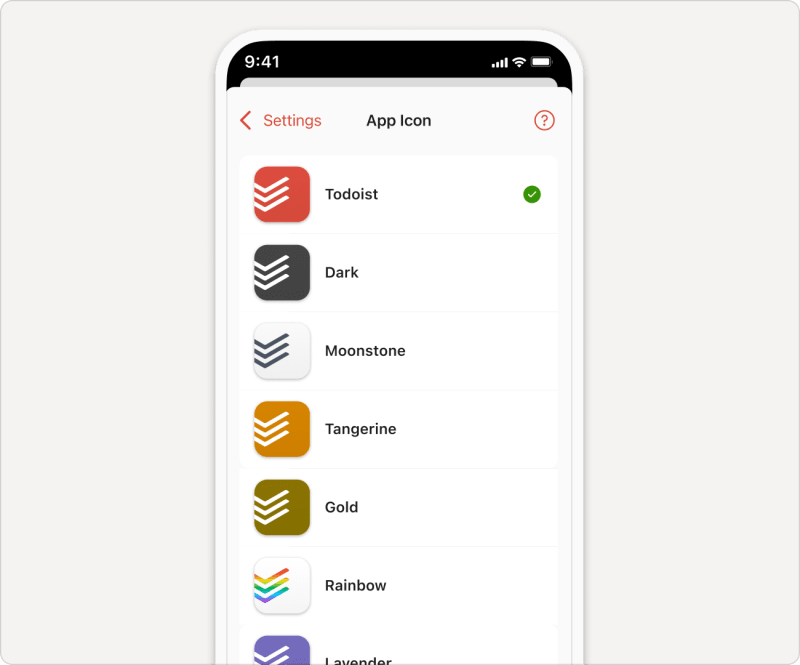
- Tap on Browse in the bottom-right.
- Tap the gear icon in the top-right.
- Select App Icon.
- Select the app icon you’d like to use.
- Tap OK to confirm.
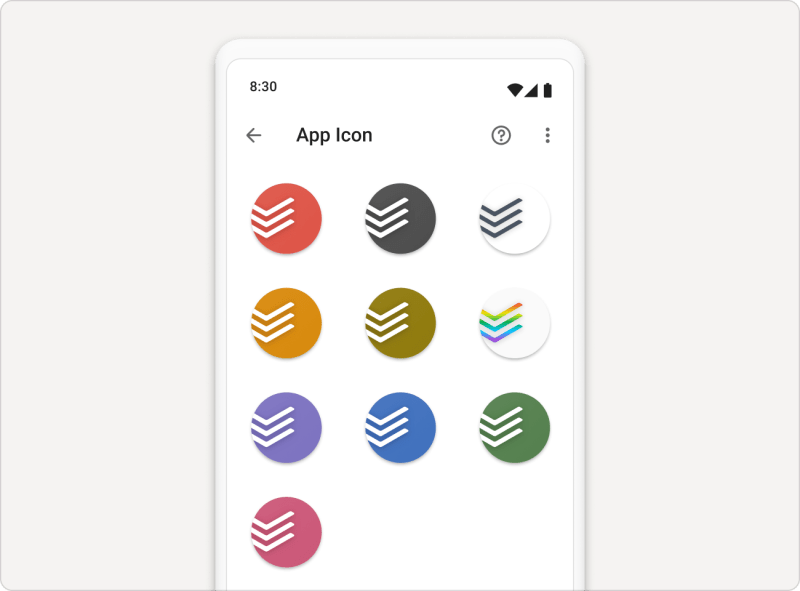
- Tap on Browse in the bottom-right.
- Tap the gear icon in the top-right.
- Select App Icon.
- Tap the icon you’d like to use.
If you're using an older Android version, as well as a custom launcher, there's a possibility that setting a custom icon will remove it from the launcher screen; however, it will be still available in the app drawer (the list of installed apps).

Marco · Customer Experience Specialist
Get in touch
If you're having trouble changing the Todoist app icon, get in touch with us.