
Todoist Sections: 18 Ways to Divide and Conquer Your Projects
With pre-populated templates to get you started

When we’re faced with a mammoth project, it can be overwhelming to lump everything you have to do into one long list. Instead, use Todoist sections to break it down so you can handle your work in easy-to-manage parts.
Read on for a handful of ways people use sections to take on their biggest projects in work and in life. And get a head start on your own projects with the included pre-section-ified Todoist templates, too.
A quick primer on sections
Sections let you divide your projects into, well, sections. To add one, simply select “Add section” from the three dots menu in the top right of any project, then add tasks by dragging them in or pressing “Add task.”
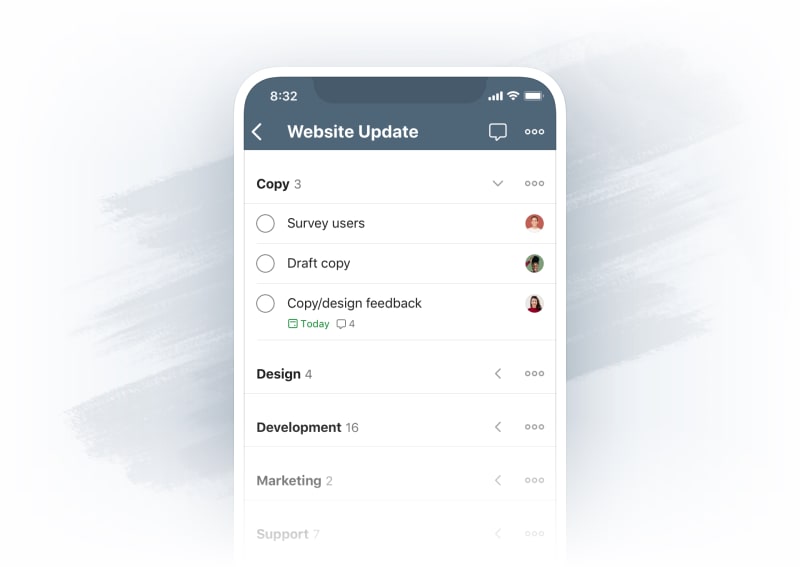
On desktop, you can add a section by hovering your cursor between other sections:
On mobile, simply drag the add button to the left and insert it wherever you need it:
And once created, you can speedily add tasks to any section by typing "/" in Quick Add:
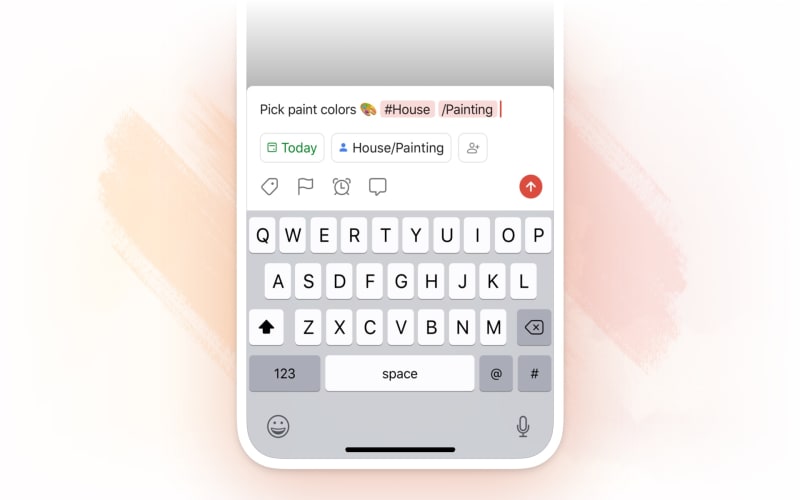
There are innumerable ways to use sections to organize your projects. Let’s dive into a handful for work and personal life:
Keep your work projects organized into sections
It's an art and a science to arrange your work projects so they work for you. You need to think about grouping and ordering your tasks, how much you can accomplish each day, which tasks need to repeat, and more. Below are a few tried-and-tested examples to get inspired.
Complete that big work project in stages
Most projects, from building an app to making a big presentation, require several stages to complete. There’s preparation, research, and execution.
To take care of each part in order, create a section for each stage and then add all the relevant tasks. The sections will help you stay focused on the tasks you can do right now without getting overwhelmed by everything else on your plate.
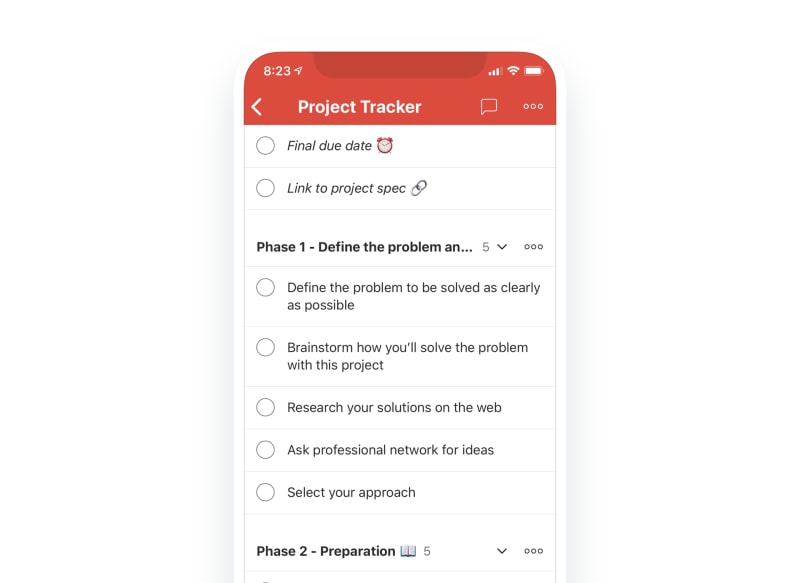
App callout note: 💡 Get a head start at work...
Split up your team assignment at school
Team projects can be pretty chaotic if everyone isn’t on the same page. Use a well-defined project to set clear responsibilities from the start.
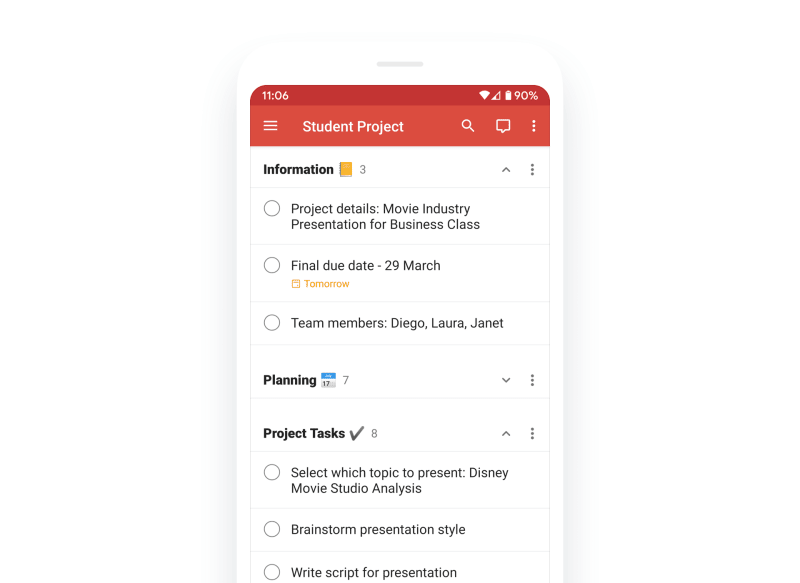
Invite all your teammates to the project, and assign tasks to everyone (after you’ve discussed it first). Create an "Information" section at the top to keep track of due dates, important documents, and more.
App callout note: 💡 Kick off your project with the...
Plan out a class curriculum
A few weeks into summer vacation, teachers are already thinking about the year ahead, but sometimes it takes until late August to actually plan it out.
Make class preparation easier by splitting your class curriculum into stages in a project.
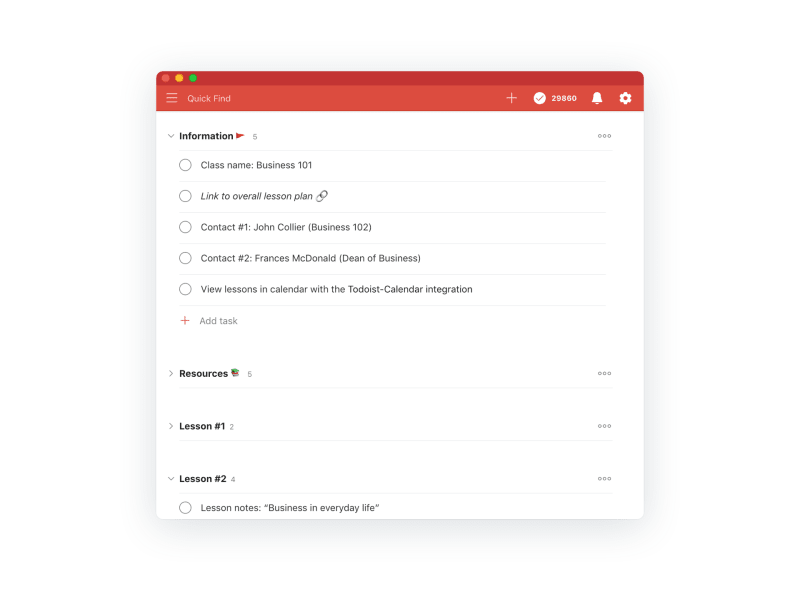
Keep your key information, lesson plans, and more in separate Todoist sections. Use tasks for lesson points, class discussions, key documents, and important handouts.
App callout note: 💡 Plan your class with the Class...
Take care of your clients
Whether you’re an entrepreneur, an account manager, or both, customer care is essential to your work. And one of the hallmarks of great customer service is to keep track of all the details.
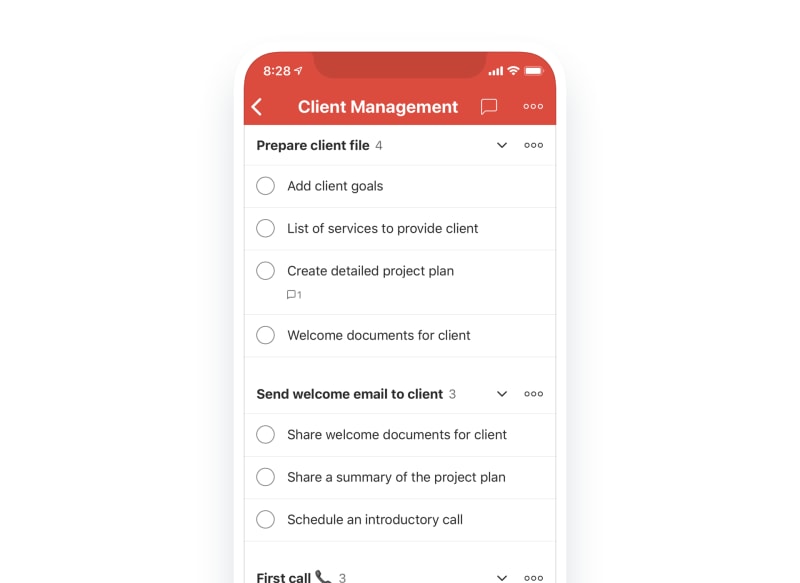
You can create a Todoist section for every important communication with a client, like phone calls and emails. Then add all the important tasks you want to cover in each communication into the section.
When it’s time for that important call, you’ll have everything you need right at your fingertips. You can easily check off action items as you discuss various points and add new items for follow-up.
App callout note: 💡 Check out the client management template...
Meetings that are useful (with a little forethought)
We always hear about meetings that go on too long and waste time. But it doesn’t have to be that way.
To keep meetings to the point, Doist CTO Goncalo Silva splits his meeting projects into two sections: Agenda and Action items.
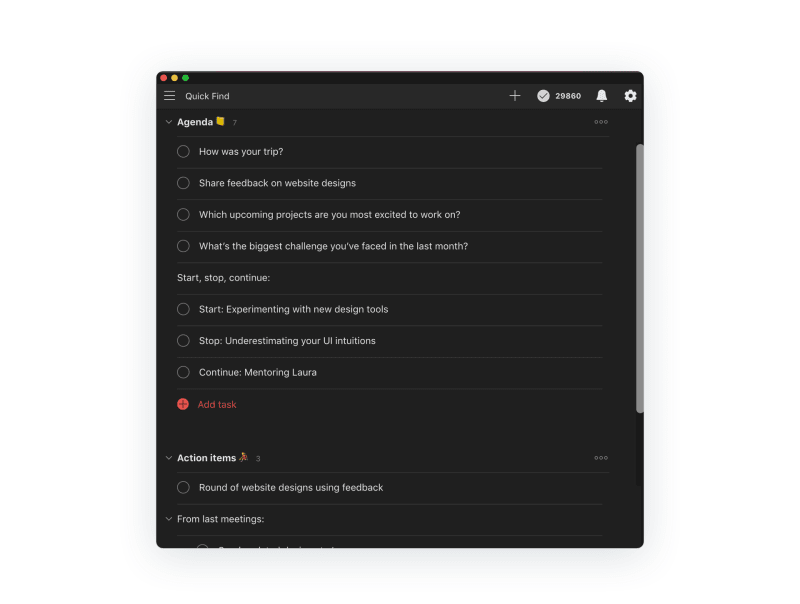
At bigger meetings, assign tasks to each person who has to speak. And if you need to check on which tasks were completed in the past, simply select “Show completed tasks” from the three dots icon in the top right.
App callout note: 💡 Try the one-on-one meeting template or...
Keep all your design requests in one place
A design team usually has to work on several projects at once, from marketing sites to product designs, to social media, and more. Here’s a coordinated way to keep track of every design request with a “Kanban-like” workflow.
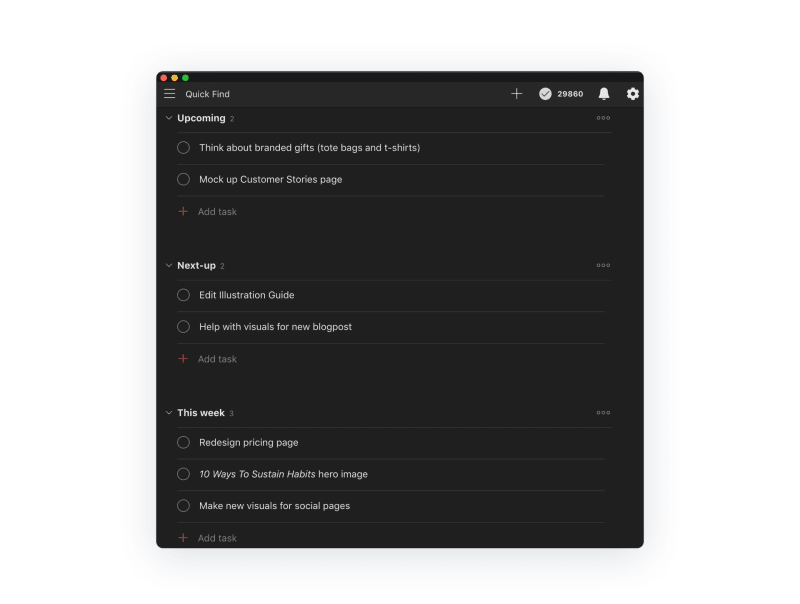
Keep all your unscheduled design requests in “upcoming”, and drag them into the other Todoist sections like “Next” and “This week” so your team knows what to work on next.
Alex Muench, Product Designer at Doist, keeps one of his projects organized into a design pipeline with four sections: Design, Implementation, In Review, and Done.
App callout note: 💡 Coordinate with your design team using...
Triage your incoming tasks more easily with Sections
Sometimes, the flood of new tasks in a project can be intimidating. Maybe you’re keeping track of social media posts to respond to, support tickets to address, or development bugs to fix.
You can sort your incoming tasks by triaging them into sections.
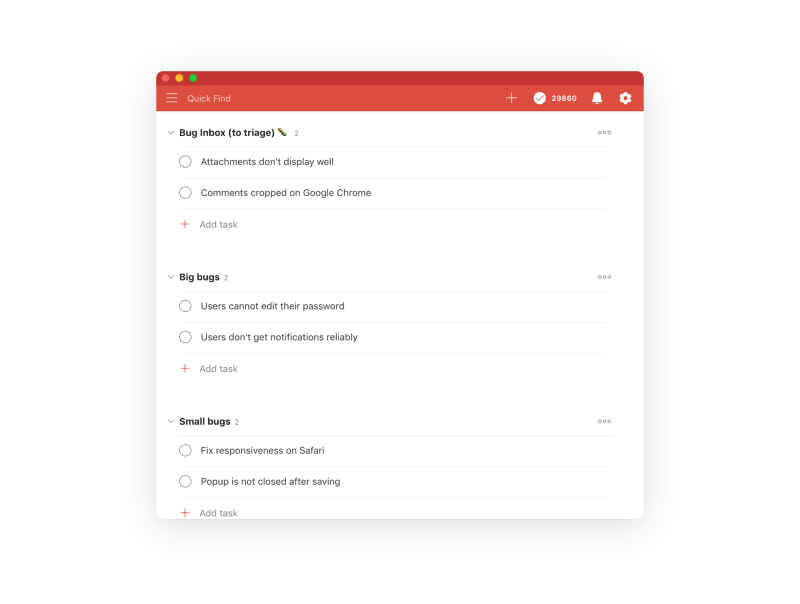
Get into the habit of adding all your new, related tasks to the project. Then set a recurring task once a day to triage tasks, and move them to the relevant section. For instance, if you’re fixing bugs in code, you can categorize each bug into sections like “Small bugs” and “Big bugs.” This workflow applies to any situation where you’ve got tasks constantly being added to a project.
Here are some templates to help you or your team with a project you’re working on:
Hire new people to your team
It takes a lot of work to find people that fit your culture, have the skills you need, and aren’t already employed. You may go through hundreds of candidates to find one who fits.
Use a template with different sections of the hiring pipeline to keep track of all the candidates (and get all those names right).
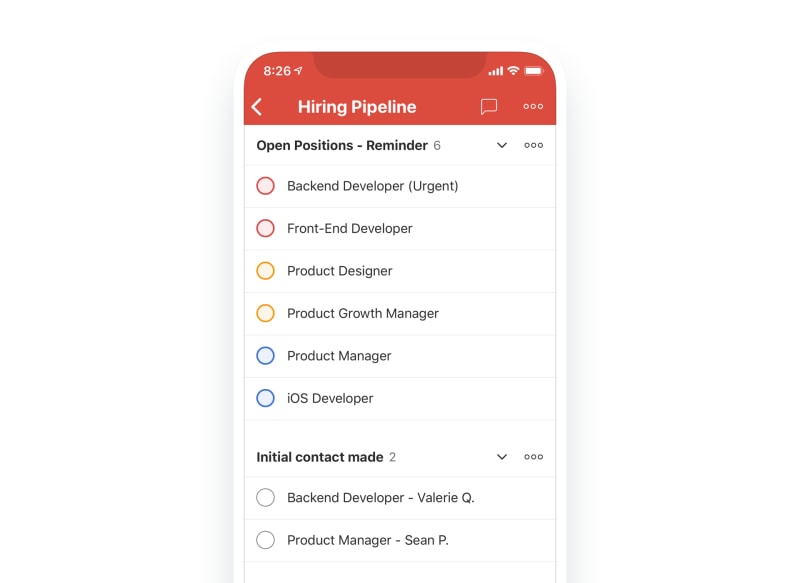
App callout note: 💡 Check out the hiring pipeline template....
Plan an event or meetup
When you’re finalizing all the details for a big event, you might get overwhelmed by the long list. To keep on top of it, group all the related tasks into sections so you can take them on efficiently.
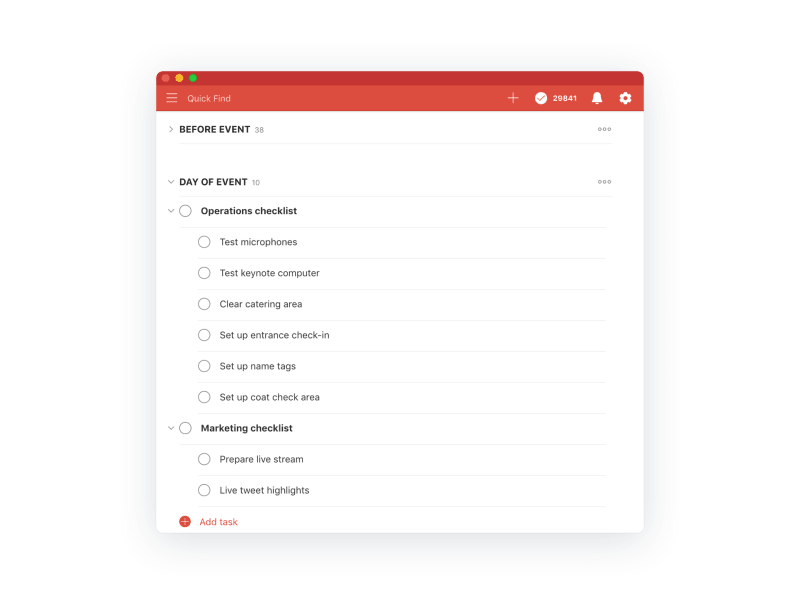
App callout note: 💡 Check out the event template. If...
Write a blog post
It can be tempting to dive into writing a blog post. But to rise above today’s crowded information overload, using Todoist sections can help thoughtfully plan out your post.
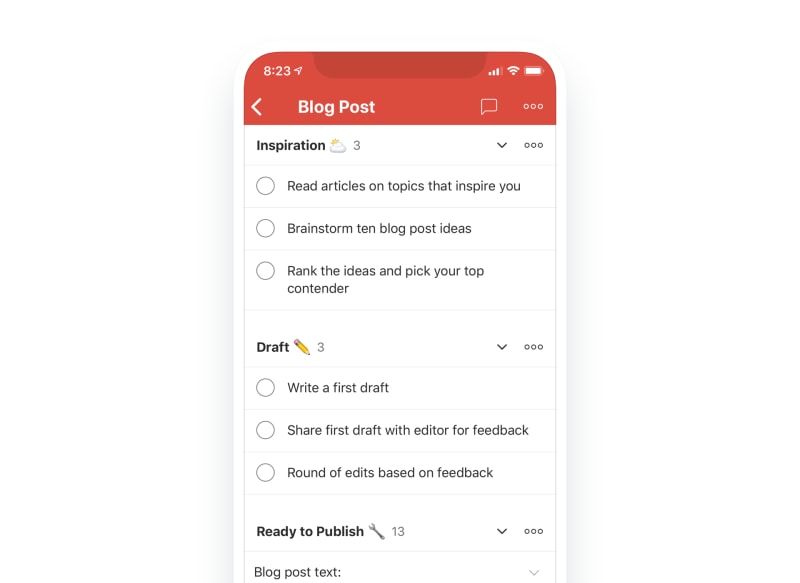
To keep track of all your content, organize your project into a content calendar and share it with the team. Becky Kane, our resident writer, editor, and dog-lover at Doist, manages our blog content calendar using Todoist sections.
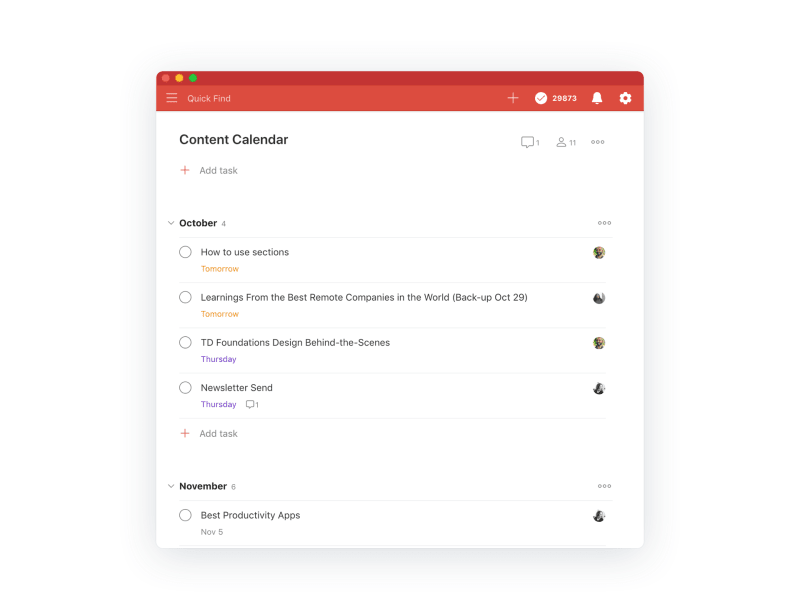
App callout note: 💡 See the blog post template and...
A more organized personal life with Todoist sections
Life’s responsibilities come in many sizes, from simple tasks like cooking dinner and taking out the trash to big trips and weddings. Todoist sections can help you handle those big projects. Below are some examples with templates.
Make progress with a fitness plan
There are a lot of reasons to avoid exercise. No time, bad weather, Netflix, etc. But to get fit, you need to establish good habits.
Start with a project with sections dedicated to every week. That way, you can define specific workouts and ensure you keep building the habit.
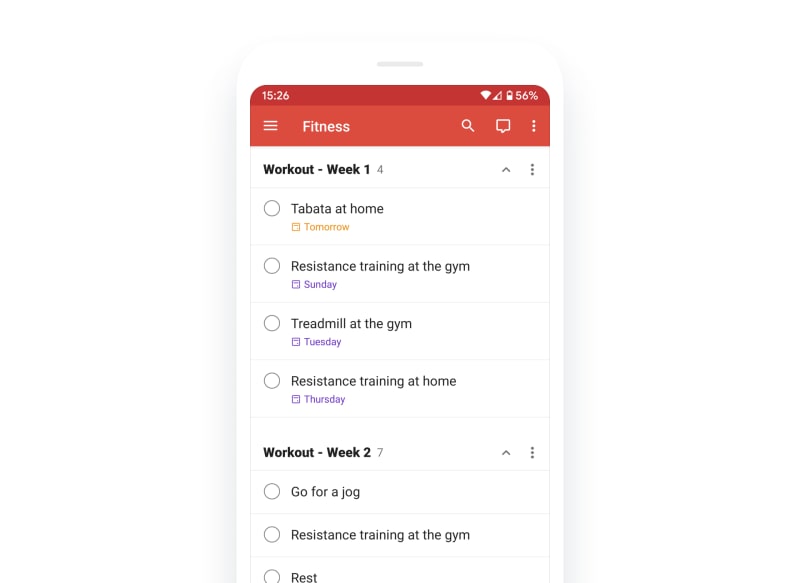
Once you’ve finished a week, you can archive the section if you want to keep your project clean.
App callout note: 💡 Check out the fitness template....
Travel with your itinerary at your fingertips
Ever have that feeling when you’re almost out the door for a big trip that you're forgetting something? Adding a section to your Travel project called “Preparation” can help you tick off everything you need to do before you go.
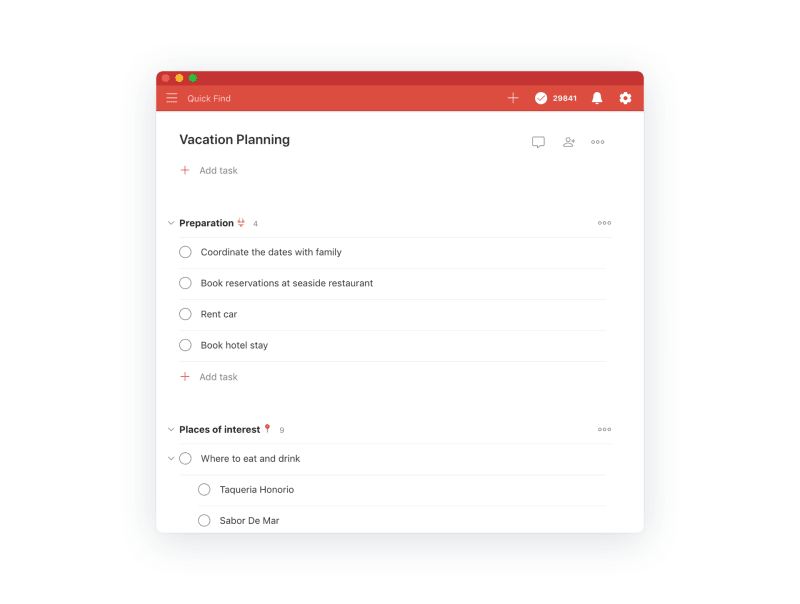
Add tasks like "book flights and hotels," "buy gear," and "charge batteries."
You can also try adding a section for “Itinerary,” with tasks for every item in your agenda once you’ve arrived at your destination (and include your reservation tickets in the task comments).
App callout note: 💡 Start planning your next trip today...
Plan a wedding (with fewer headaches)
You’re engaged, and it’s time to start planning the big day. 🎉 Whether you live by the “Let’s keep it simple” motto or feel that “Fairy tales can come true”, it’s all going to require an immense amount of planning. Break it into sections, and share the project with all your helpful planners so people can get to work on the areas they’re responsible for.
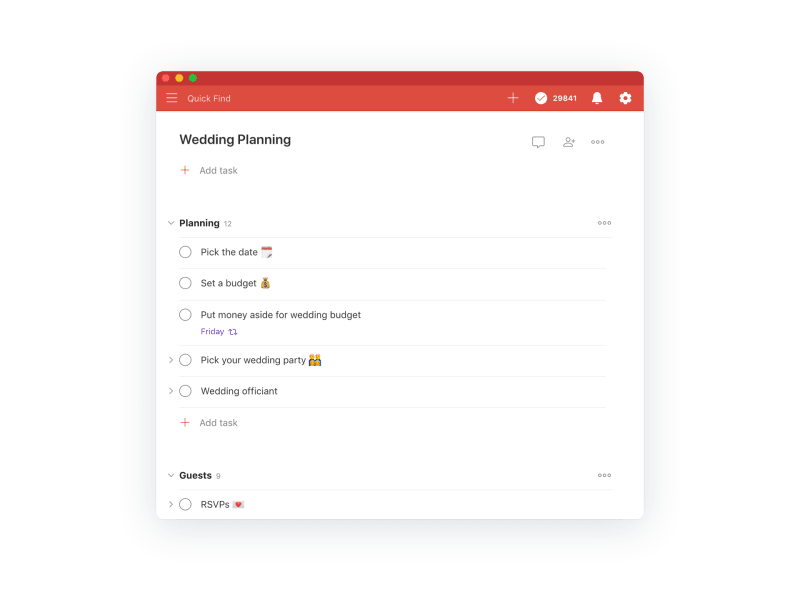
App callout note: 💡 Check out the wedding template....
Start a new blog, podcast, or creative endeavor
When it’s time to share your ideas with the world in a new creative outlet, start with a well-organized project, so you can spend more time creating and less time on the little things.
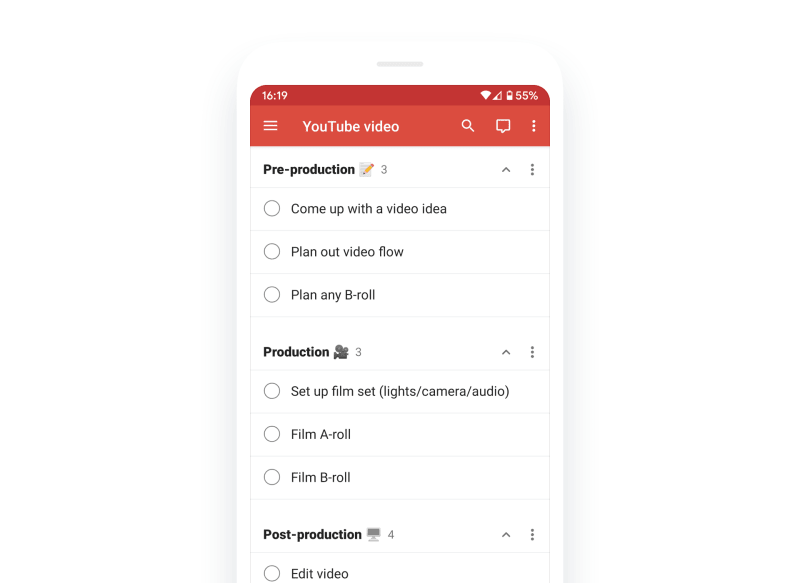
Let’s say you’re planning to record a new video for YouTube. Break it down into pre-production, production, and post-production sections, and you’ll feel less intimidated by the process.
App callout note: 💡 Check out our templates for personal...
Write a novel
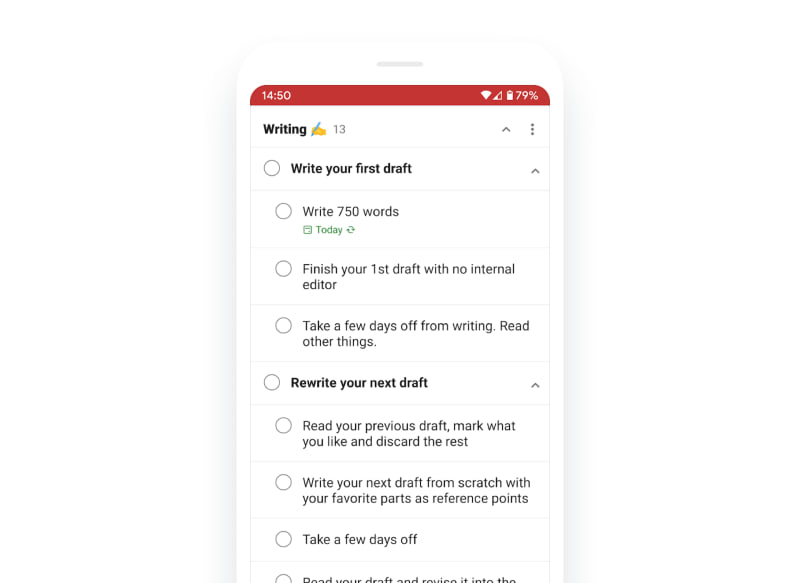
“The only kind of writing is rewriting,” said Ernest Hemingway. In other words, the first draft of your novel, feature blog post, or even email won’t be perfect. You’re better off attacking it in sections where you know you can write and rewrite until it’s perfect.
App callout note: 💡 Check out our book writing template....
Learn a new language
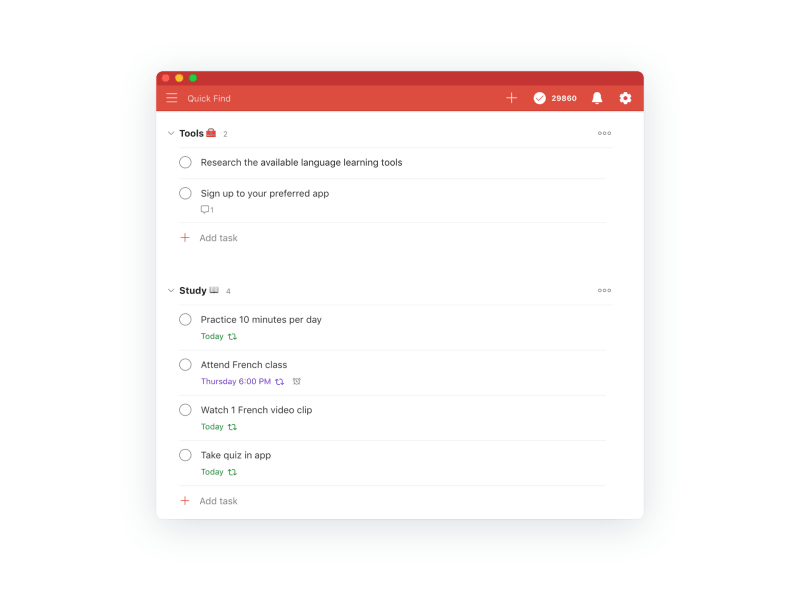
If you’re trying to learn a new language, it’s all about setting good routines and staying organized. Create sections in your project for setting goals, links to resources, words/phrases you’re learning each week, and a section where you set recurring tasks to remind you to practice regularly.
App callout note: 💡 Pick up that new language sooner...
Keep track of your hobby
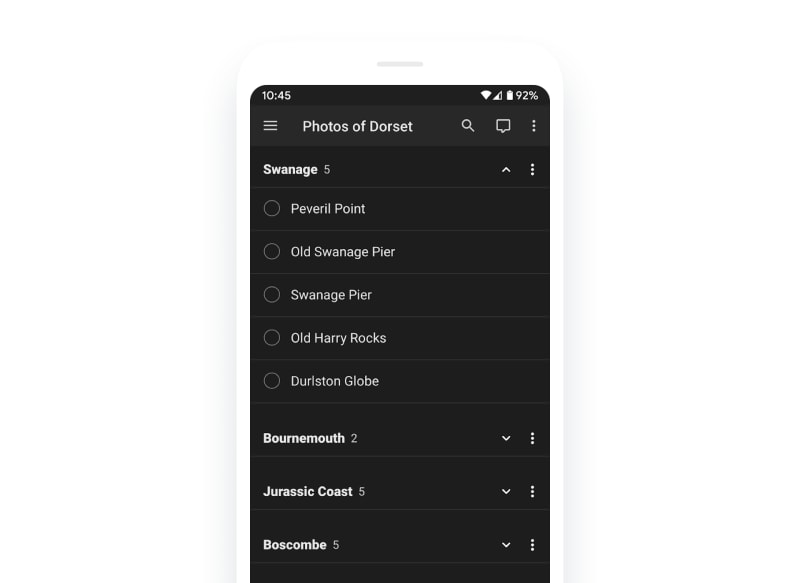
Scott Lovegrove, Windows Developer at Doist, keeps track of his hobby of photography with Todoist sections:
I have a list of different photos I want to take in various places around my home county and I've used sections to split them up into specific areas.
Set those big, life-changing goals
When you’re aiming to set big, year-long goals, keep them organized so it’s easier to check back in later and measure your progress.
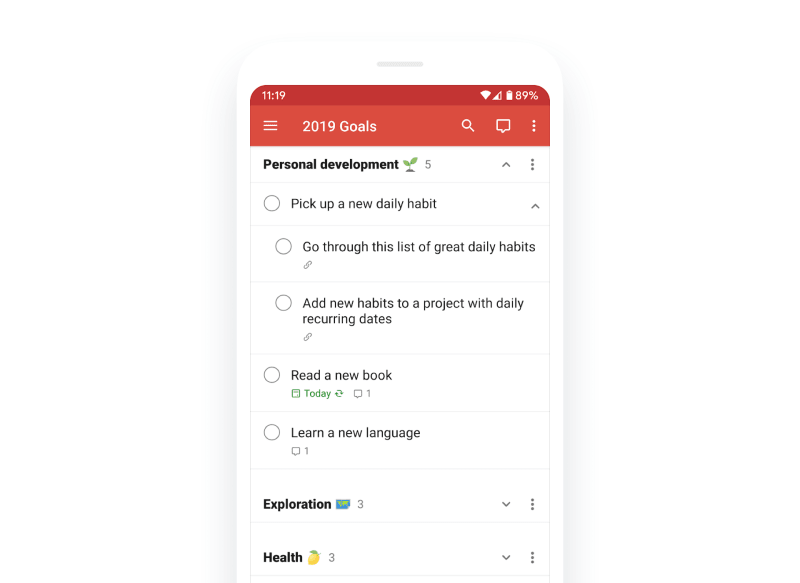
App callout note: 💡 Set goals for the upcoming year...
No matter what path you’re on, you’re bound to run into a project that’s bigger than you expected. Instead of letting the tasks pile up, break your project into sections, and take it on in pieces. You’ll stay more organized, enjoy the process more, and before you know it, you’ll be knocking off those final tasks.
If you’ve got a project with sections set up that works well for you, let us know about it on Twitter and Instagram, too.

Neil Vidyarthi
Neil Vidyarthi is a product marketer and mindfulness evangelist at Doist.
